
Changelog

What we ship in Depi: new features, improvements and fixes, newest first.

RSS feed
  1. When a compromised package or action runs in CI, you need to know what it could reach. Depi now tracks the secrets and permissions of the GitHub workflows an incident touches in order to facilitate incident response.

    Depi looks at every workflow that ran during the incident window and matches it against the project’s secrets and access. The new Workflow runs tab shows the result: what may be compromised, and what you may need to rotate.
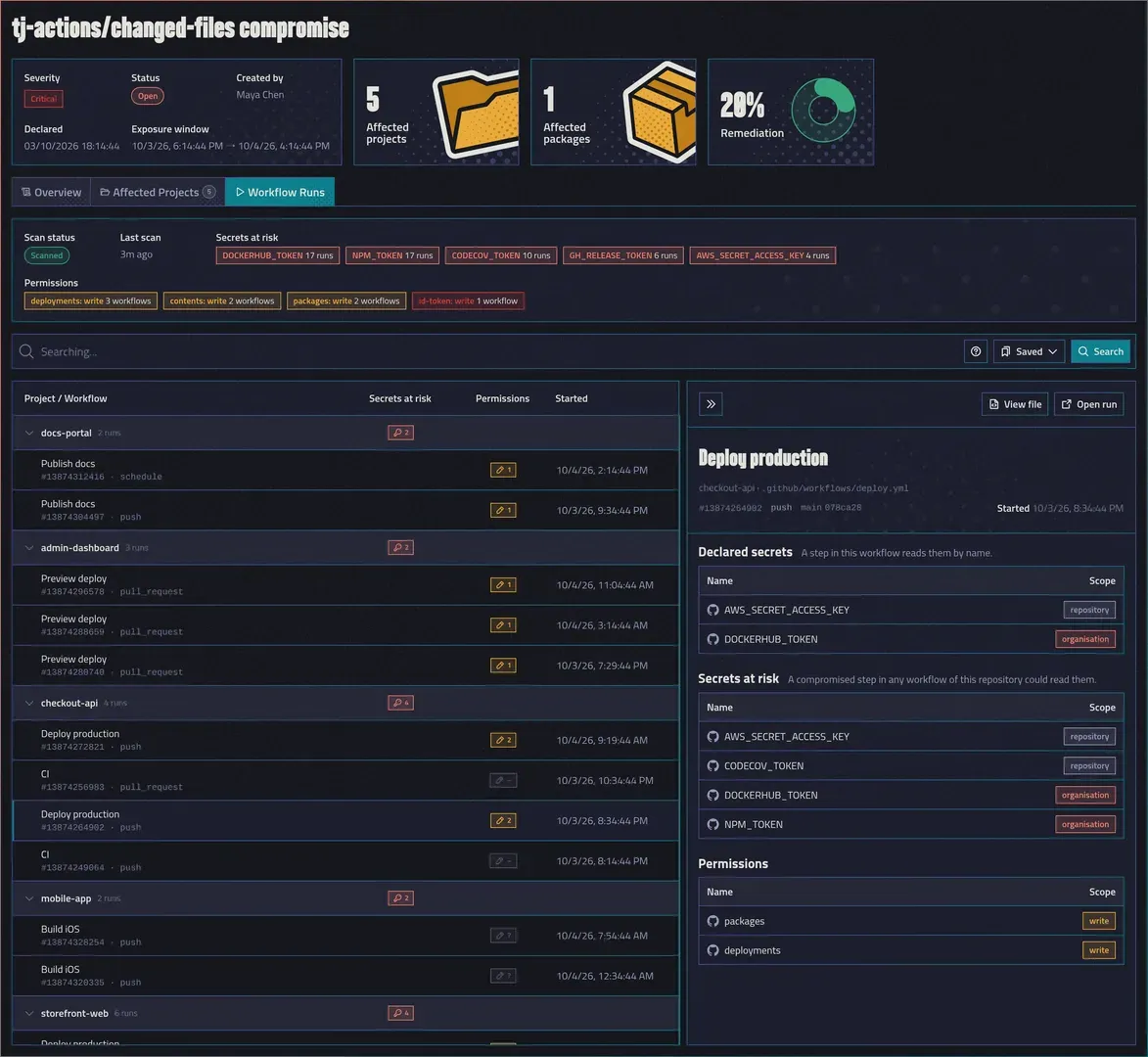
    The Workflow Runs tab of the tj-actions/changed-files incident, with five secrets at risk, four write permissions, runs grouped by project and one run open in the side panel

    Declared secrets and secrets at risk

    Depi keeps two lists apart:

    • Declared secrets: a step in this workflow explicitly reads them by name.
    • Secrets at risk: all the secrets that the workflow can read.

    In this example, checkout-api still uses a long-lived AWS key, and four of its runs could read it:
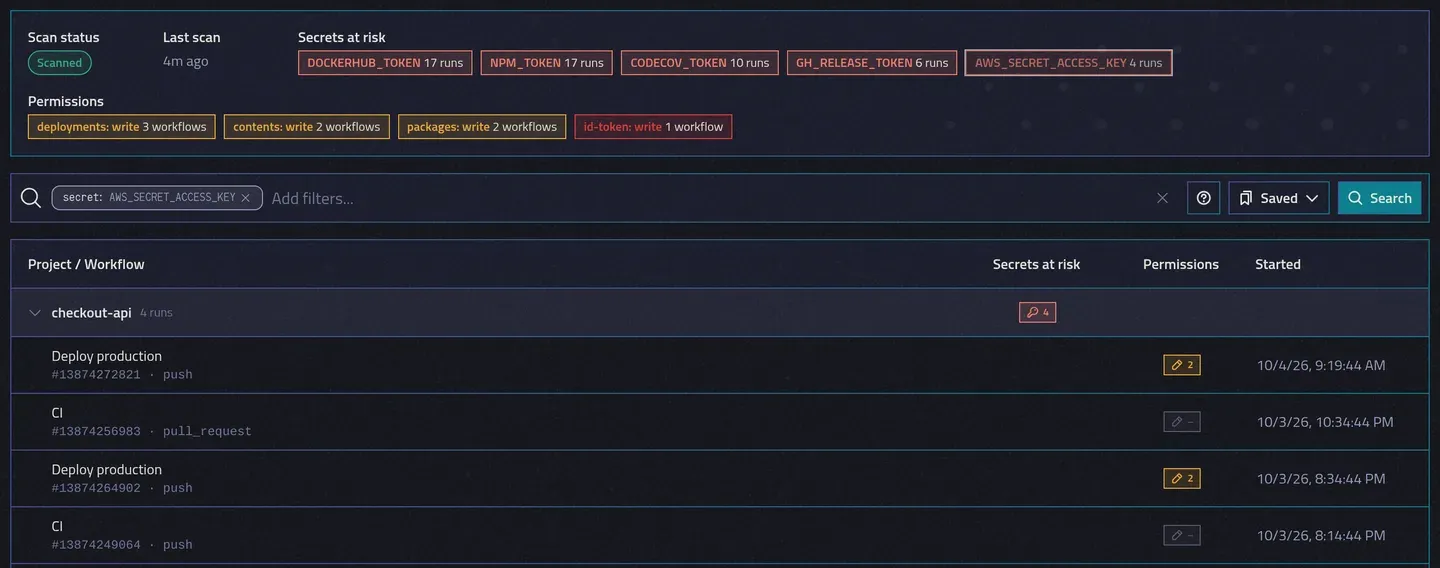
    The run list filtered to the four checkout-api runs that could read AWS_SECRET_ACCESS_KEY

    Pipeline secrets

    Depi re-uses the same logic in the reworked Project pipelines view, which should bring more clarity on what secrets and permissions a pipeline has.
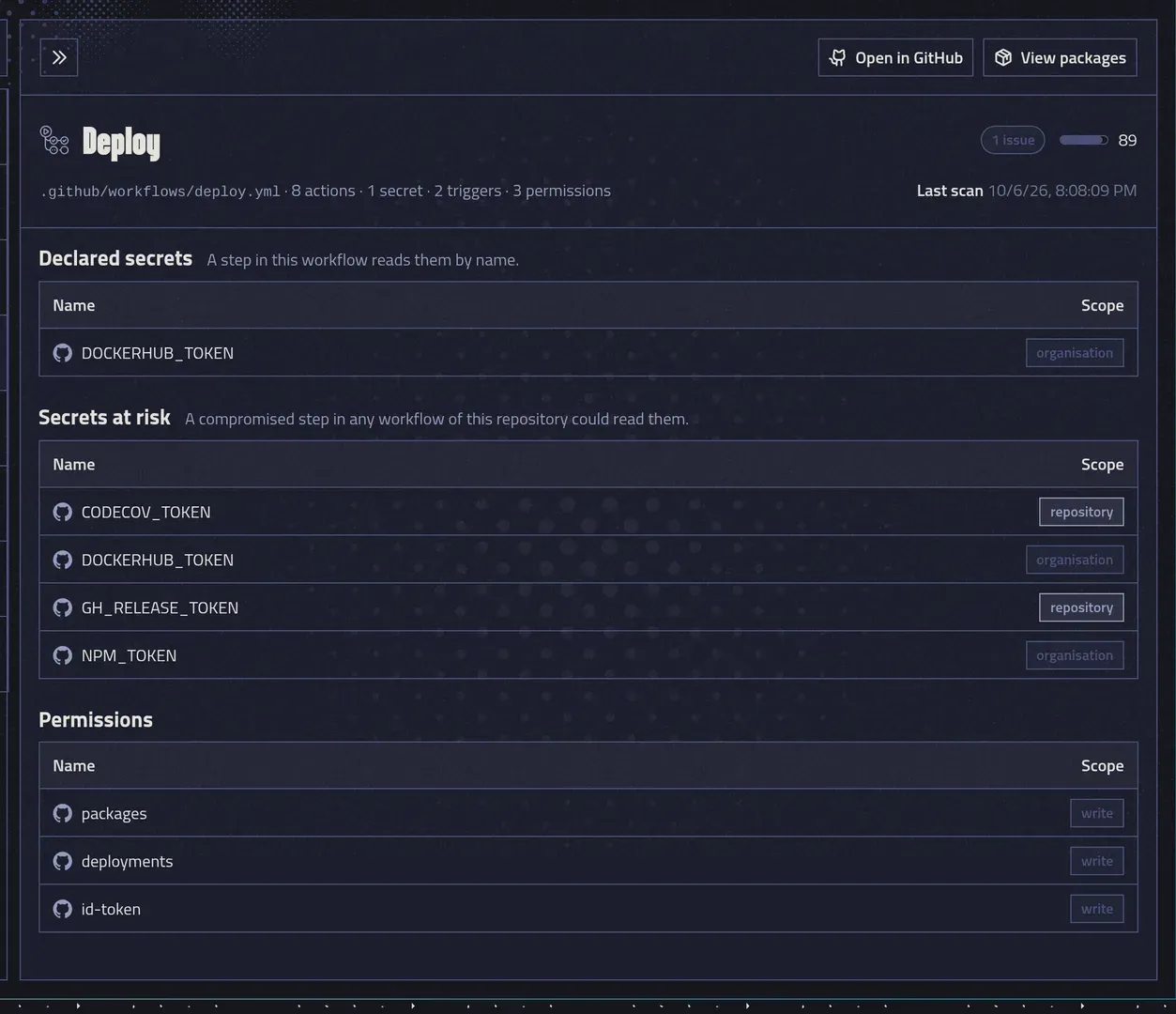

    The Deploy pipeline: one declared secret, four secrets at risk, and write access to packages, deployments and id-token

  2. As part of our deepened partnership with Aikido, Depi now checks the packages you use against its malware feed. When malwares are detected as installed or reachable, Depi will automatically create a managed incident for you. As new malwares get detected, the incident gets updated, and we record when the public registries pull them.

    Depi Managed incidents

    Incidents marked “Created by Depi” are the ones our security researchers create manually to protect all Depi users. They will be updated as the new supply chain attack campaign expands, and as the public registries pull the malicious versions. You can still declare your own incidents, and Depi will keep them separate.

    Aikido Malware incidents are automatically created when a malware is detected as being used, or reachable, in your projects.

    The incidents list with an Aikido Malware incident next to a Depi incident and three manual ones

    Pulled versions

    When a malware gets pulled out of the public registry, it is no longer installable but might have been installed. We recommend the affected projects view to see which projects are affected and could have installed the malicious version.

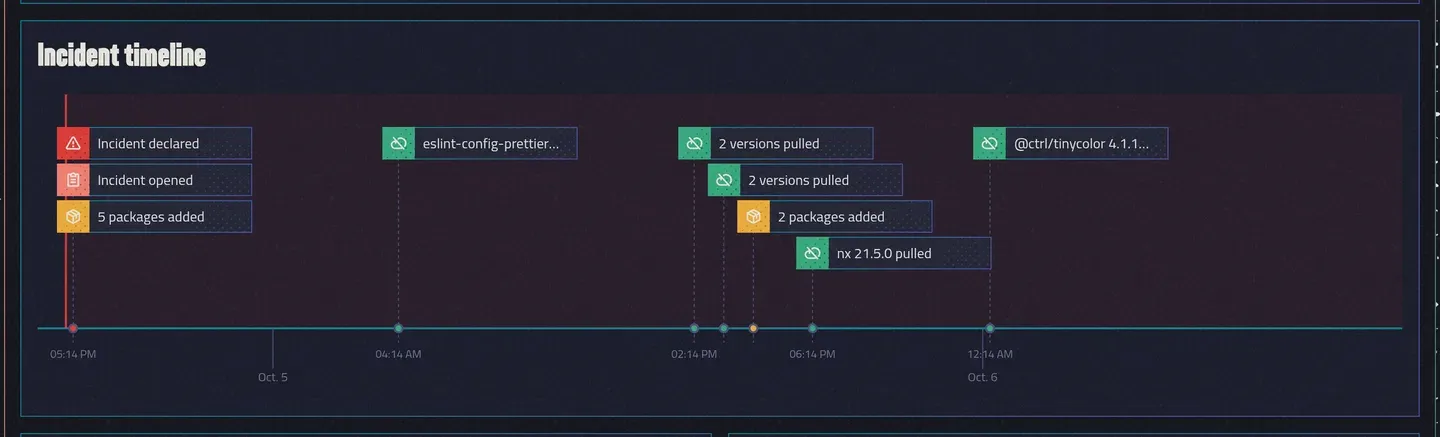
    The timeline records when each package joined the incident and when the registry pulled each version.

    The incident timeline: incident declared, packages added, and versions pulled over two days

    Get alerted

    With the notifications feature, you can then send incidents updates to Slack or to your on-call tool through a notification channel. Helping you stay on top of the incident and react quickly.

The next incident is already in your upstream chain.

30 minutes with our team. Bring your most critical repo and we'll show you what's hiding in its upstream security, live, on the call, before you sign anything.